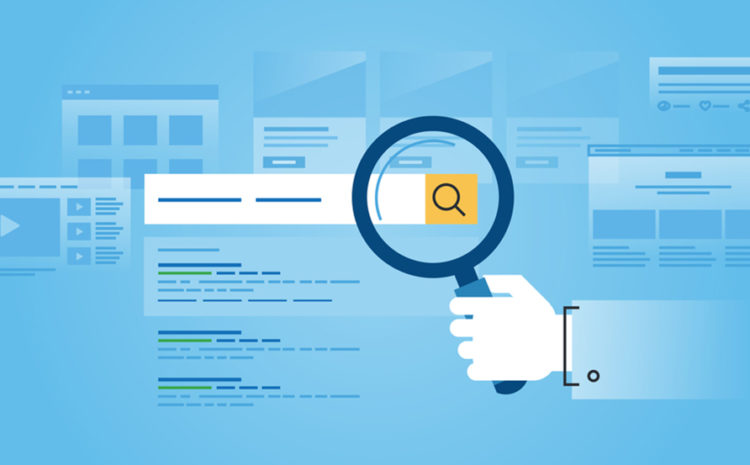
Today the New Zealand SEO Challenge kicked off, with an aim to see who gets a top Google result on the word quadracentifiable. Avatar believes the SEO Challenge is a great idea because SEO is such an important part of getting web site's found and also... it's just plain fun. Avatar was one of the early New Zealand SEO specialists, and has been working in the area since 1998. Good luck to all New Zealand SEO'ers on the quadracentifiable challenge!
As well as being a great way to engage your website visitors and reach millions of users by distributing your video on sites such as YouTube, with more search engines listing videos in their search results, video is fast becoming a key SEO tool, enabling you to extend your visibility across key search engines and boosting your rankings for relevant keyword phrases.
With the onset of Google's Universal Search (where other media are also displayed on result pages), a video is said to be 53 times more likely to appear on a first page of results than a traditionally optimised page. This creates a unique opportunity to attract potential customers with a visually engaging video.
We've gathered together some of the top techniques for optimising your online videos to ensure they get picked up by search engines.
Keyword Research
Firstly, identify the best commonly searched keyword phrases relevant to your video content. Try to choose longer phrases as these tend to perform better than one or two keyword phrases, which are often highly competitive and are less targeted. There are a number of keyword tools available to help you with this - we like Google's free keyword tool.
Landing Pages
Before you distribute your video online, decide where you want to direct visitors that see your video, as your homepage might not necessarily be the most relevant place. The best option is often to create a specific landing page, which contains the video plus more information and calls to action to enable visitors to find out more or make a purchase. Make sure this landing page contains the same keywords you will be using to optimise your video by adding them to the page title, meta description, content and headings etc. Surrounding your video with key search terms that reflect the content will help search engines to find and index your video. Add the URL of this page to the video so when you distribute it on other sites, viewers can visit this page.
Video Optimisation
Make the most of the opportunity to reach thousands or even millions of users by distributing your videos online. You can upload your video to a number of video sites such as YouTube, MetaCafe or Vimeo and instantly have access to a completely new audience. When you upload your video you'll usually have the option to add your keyword phrases into the video title and description and most sites also allow you to add tags to categorize your video and further aid searches.
Title: This should be a catchy headline to encourage users to view the video. Titles are usually between 75 and 120 characters and should contain your key search terms. Don't be tempted to pack it with lots of keywords as this may be seen as spam. If you do want to include your company/brand name, it should go at the end.
Description: This should be an interesting and relevant summary of your content. Descriptions can be around 200 characters - though some sites and search engines allow fewer characters so ensure your key content is within the first 160 characters. Include your key phrases and the URL of your landing page (including the http:// part) as this can act as a link back to your website.
Tags and Categories: Where sites allow you to enter tags, include your top keywords and keyword phrases, plus your product/brand, location etc. If categories are available, add your video to the most relevant categories.
Comments: Get the ball rolling by adding a comment inviting people to provide feedback and include the URL of your landing page to help them find out more. Make sure you respond promptly to any comments. Not everyone will be positive so try not to get involved in an argument, simply thank them for their opinion and move on.
Tracking and Analysis
Add tracking to your video landing page to monitor the number of visitors to the page, where they arrived from and whether they converted to an enquiry or sale. This is important data as it can help you measure the success of a campaign and as you distribute more videos online you can decide if certain sites and strategies are giving you better results than others and adjust your strategy accordingly. If you don't already use analytics/tracking on your website, Google Analytics is an excellent free resource.
If you would like any assistance with optimising and distributing your videos online, get in touch with us.
Editing your YouTube videos just got easier with a simple new online video editor that enables you to join multiple videos together, cut parts out and even add a soundtrack.
Without having to install any software, the video editor enables you to:
Trim the beginning and/or ending of your videos
Combine multiple videos you've uploaded to YouTube to create a new longer video
Add soundtracks from their AudioSwap library containing thousands of songs
Create new videos without worrying about file formats and publish them to YouTube with one click - no uploads necessary
Have a good read through your website. Does your copy use words like "you" and "your" when referring to clients, or is there a lot of "we" and "us"?
A common mistake made when writing copy is using company-focused language rather than customer-focused. The copy you use tells your potential client where your focus is - if you only talk about your business and ignore your reader's needs and desires, you won't achieve as high conversion rates.
When writing copy, address one reader at a time, not a group of readers. Personalise the text by talking about the customer's needs, wants, frustrations and goals and ensure your services compliment that customer's desires. Tell your visitors about the services you provide, your expertise and customer satisfaction, but do so in a way that makes your reader the centre of attention.
If you would like any assistance writing or editing your text, get in touch with us.
WordPress themes provide a fast and easy solution to your Web site and/or blogging needs. There is a wide selection of top quality themes that can be customised to better suit your business style, or for the more technically advanced, themes can be created from scratch. Some benefits of WordPress themes are:
They're affordable (and free themes are available)
There is a wide selection of great themes to choose from
Creating and improving trust with your clients is an important part of any online presence. It encourages clients to buy your service or product and helps to create an ongoing client-business relationship. Here are four quick ideas to consider:
Testimonials are a great way of showing new clients that your existing clients respect you and are satisfied with your work
If you have a secure form on your site where clients need to fill in their personal details, link to your privacy policy if applicable
If you're a member of a business association, then remember to display relevant logos/quality stamps in prominent locations
If you've got product or service reviews on other Web sites then think about linking to them
If you would like a more secure online form, logos or testimonials added to your site to help improve client trust, contact us.
jQuery is a development tool that can be used to visually enhance elements of your Web site, including menus and photo galleries. It offers a faster, easier and more cost-effective way of displaying animation and interactive widgets.
After signing a deal with Twitter last December to incorporate tweets in their real time search results, reports are emerging that Google has finally agreed to a deal with Facebook to include status updates from Pages. Facebook Pages are used by groups and businesses to promote their products and services, and according to ineedhits.com, there are currently over 3 million active Pages with more than 5.3 billion fans. The move to include Page updates in Google's real time search results further cements Facebook as an important search marketing tool, so setting up a Page for your business could be a wise choice.
If you are interested in or need help setting up a Facebook Page for your business, get in touch to see how we can help.
The New Year has arrived, and so has the time to update the copyright date on your website and/or blog. You may not consider this a priority, but from a branding point of view, it is important to show your customers that your site is up to date, and also makes your site appear more professional.
If you have a footer file (e.g. footer.php), which is attached to every page, updating your copyright date should be easy, as you’ll only have to change the date in this file and re-upload it. To make things even simpler, you could insert an automatic code into the file in place of the date: <?php echo date(‘Y’); ?> which takes the date from your server and thus will update itself every year, so you’ll only have to do it once (this can also be done with WordPress sites).
If you don’t have a footer file or a WordPress site and the date is in the code on every page of your site, you could search and replace the date to make the job quicker.
If you need assistance updating your copyright date, please contact us for details of our website update service.
Back in the 80's a classic film came out called '2010: The Year We Make Contact'. We suspect most of you will not be making contact with an alien intelligence this year, but you will likely want to regularly communicate with your clients and business associates.
Email newsletters are a fast and cost-effective way for businesses to keep their clients up-to-date and engaged. A recent US study has shown that two thirds of respondents said they were more likely to click on a link to a company's Web site via an email versus typing in the URL. Email campaigns work for a number of reasons:
Build relationships, loyalty and trust
Provide clients and potential customers with valuable links to your Web site, thus increasing traffic flow
Fast and effective way of communicating with clients
They can also help boost your rankings if you optimise your newsletters and put a copy on your website
A well-written eNewsletter can be a subtle and highly effective way to build credibility with your clients. Some quick initial tips:
Aim to create a relationship with your customers and encourage them to use your newsletter as a resource.
Try to avoid including third party adverts or continually pushing hard for the sale so your clients aren't put off.
Discuss relevant topics in each newsletter so your customer feels they are being kept in the loop on important information and company news.
Ensure you write unique, quality content that will benefit the audience. Provide information that saves them time by distilling information into practical advice.
A key selling point for eNewsletters is that they can be very cost-effective to send: you can email a newsletter to thousands of users at a fraction of the cost of printed mailings. With Avatar's email tool Rocket Mailing, you can create and send targeted, personalised email messages and measure the impact your newsletters are having on all your customers. We also provide a newsletter design and production service, should you require assistance with your email campaigns. Get in touch with Avatar for more eNewsletter tips or to get started.
If you're not using eNewsletters already, then why not evaluate if 2010 is the year you make contact with your clients.